Jan 23, 2026
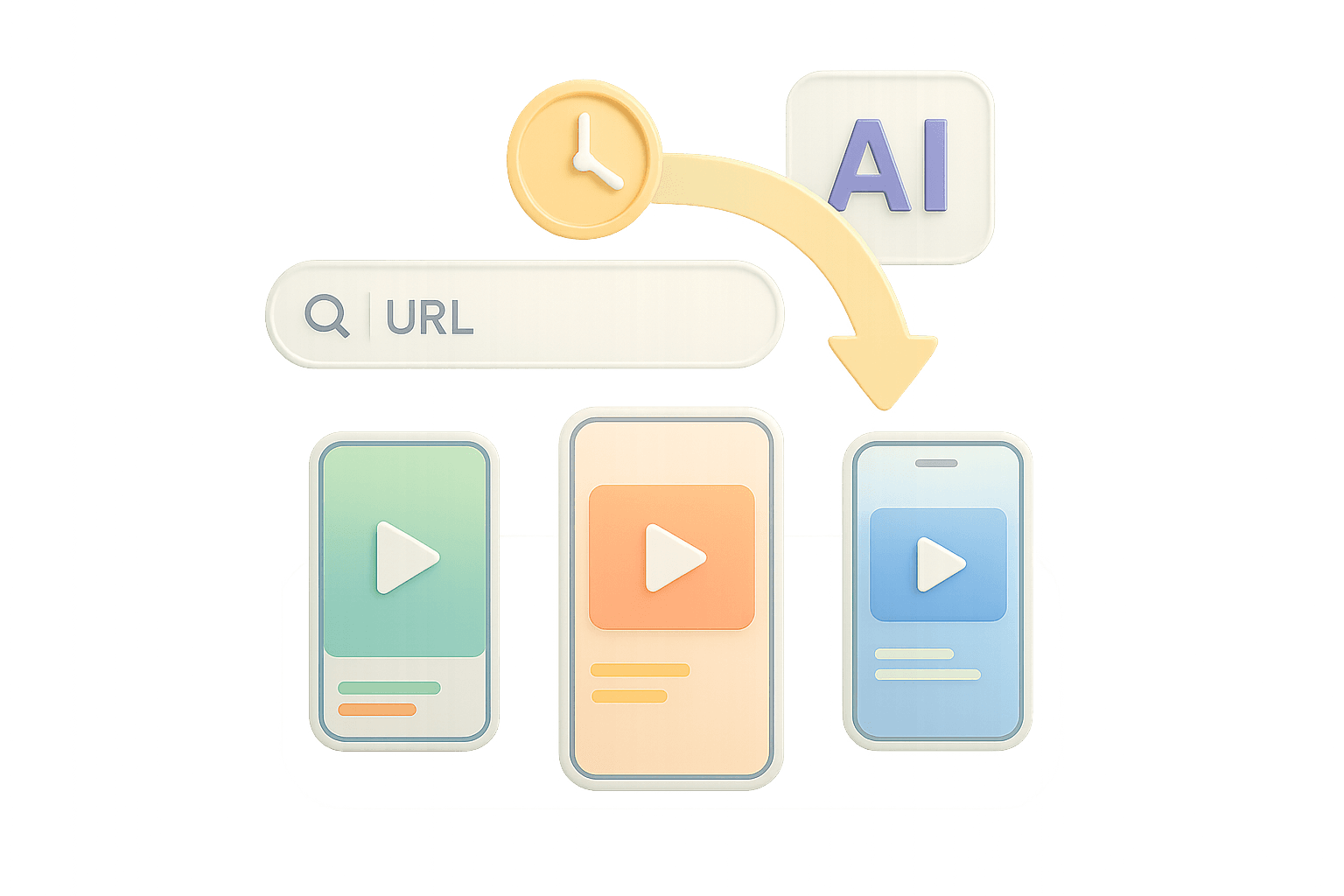
You’re running hundreds of product listings across your e-commerce store. Each one needs fresh creatives to stay competitive on social platforms. But hiring a video production team for every SKU isn’t realistic, and your in-house designer is already in the weeds.
Product URL to video ad generators changes the game. These AI tools pull product details directly from your store links and transform them into ready-to-run video ads in minutes. All you need to do is paste your URL and get platform-ready creatives.
When it comes to e-commerce brands and agencies juggling multiple clients, they need to test more angles, launch products faster, and keep campaigns fresh without torching their budget.
Key Takeaways
Automated Creation: AI tools transform product URLs into video ads in minutes by extracting data directly from store links.
Full-Funnel Automation: Advanced agents like AdMove integrate with Shopify/WooCommerce to manage the entire workflow from creation to campaign launch.
The 3-Second Rule: High-converting ads must stop the scroll within 1.5 to 3 seconds using visceral, problem-solving hooks.
Platform Optimization: Content must be tailored to specific platform norms (e.g., native-feeling for TikTok vs. polished for Instagram).
Volume Over Perfection: Testing multiple AI-generated variations is more effective for ROI than manual production of a single "perfect" creative.
How Product URL to Video Ad Generators Work
Most solutions follow a similar pattern. You paste your product link. The AI scrapes your page to extract the name, description, pricing, and images, then analyzes everything to generate a script highlighting key selling points.
Short-form and long-form video ads
Platform-specific cuts for Reels, Stories, Feeds
Story-style ads from ready-made scripts
Product-centric layouts for fast A/B tests
The system matches your product type with suitable templates. Fashion gets different treatment than kitchen gadgets. AI populates templates with your images, adds text overlays, and applies transitions that match current platform trends.
Customize the voiceover
Adjust the script
Swap templates
Modify music
Once satisfied, the app renders your video in formats optimized for TikTok, Meta, and YouTube.
AdMove: Your Autonomous Agent for Video Ad Creation
AdMove operates differently from basic video generators. It’s an autonomous AI agent built specifically for ad operations, not just video creation.
Direct Store Integration
AdMove connects directly to Shopify or WooCommerce. Instead of manually pasting URLs one by one, it pulls your entire catalog. Generate video ads for 50 products as easily as one.
It fetches titles, descriptions, specs, pricing, and high-resolution images. The platform understands product categories well enough to automatically apply the right messaging. Skincare gets benefit-focused scripts. Electronics get spec highlights.
AI-Driven Script and Video Generation
AdMove moves beyond template systems. The AI analyzes your product’s unique selling points, target audience signals from your store data, and current creative trends to write scripts tailored to your specific product.
The video engine uses your images to identify angles, create smooth transitions, and add text animations that emphasize benefits at the right moments. Removing the need for drag-and-drop functionalities.
Campaign Automation Beyond Video Creation
AdMove doesn't stop at handing you a video file. The platform launches campaigns directly to TikTok, Meta (Facebook and Instagram), and LinkedIn from the same interface. You set your target audience parameters, budget, and schedule once. The AI agent handles the technical setup across platforms.
More importantly, it continuously monitors performance. When one video creative starts to decline in click-through rate or cost per acquisition, AdMove can automatically generate and test new variations. You don't need to manually check dashboards daily and scramble to create new ads when performance drops.
The editing interface focuses on adjustments important for ad performance.
Swap hooks
Test different CTAs
Run scene re-packs without re-rendering the entire video
Make music/VO changes
Need variations for A/B testing? AdMove generates multiple versions with different hooks, music, or messaging angles from the same product data
Comparing Product URL to Video Ad Solutions
Feature | AdMove | Creatify | FlexClip |
Direct Store Integration | Full Shopify, WooCommerce catalog sync | Manual URL input only | Manual URL input only |
Campaign Launch | Direct to TikTok, Meta, LinkedIn | Export files only | Export files only |
Performance Monitoring | Autonomous optimization across campaigns | Not available | Not available |
Batch Processing | Entire catalog processing | One product at a time | One product at a time |
Script Generation | Product-specific AI analysis | Template-based scripts | Template-based scripts |
Starting Price | Custom (includes campaign management) | $39/month | $19.99/month |
Why the Differences Matter
Creatify focuses purely on video generation. You get decent templates and can create videos quickly. But you’re still manually uploading to ad platforms, setting up campaigns, and monitoring performance through separate tools. For agencies managing multiple clients, you’ve only automated one piece.
FlexClip serves the broader video editing market, not ad operations specifically. Their product URL feature works, but the output still needs some tweaks to meet platform specs. You’ll spend time adjusting aspect ratios, trimming to length limits, and ensuring text is readable on mobile.
AdMove treats video creation as one component of campaign management. The AI agent doesn't just make videos. It understands that your goal is profitable ad performance, not just pretty creative. The platform handles everything from product data to campaign launch to performance optimization.
AdMove treats video creation as one component of campaign management. The AI understands your goal is profitable ad performance, moving past one-trick ponies like pretty creatives. The platform handles everything from product data to campaign launch to optimization.
That's why you're comparing a video generator against an autonomous agent built for ad operations.
Best Practices for High-Converting Video Ads
Creating videos from URLs is easy now. Creating high-converting ones still requires a deep understanding of how things work.
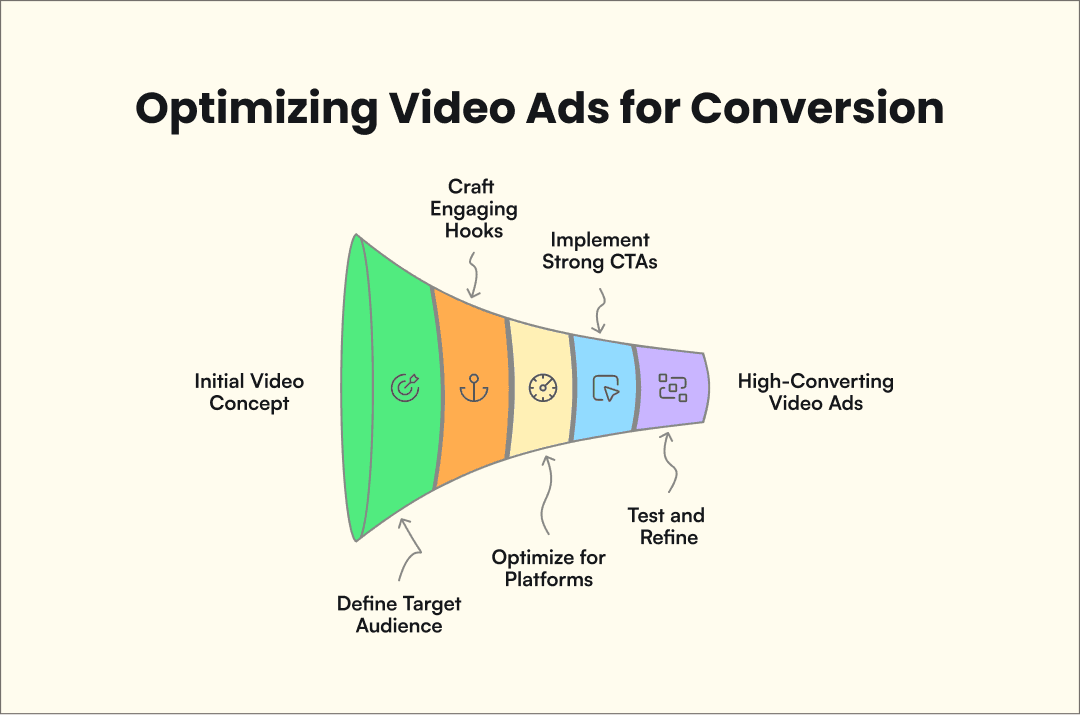
Know Your Audience Before You Generate
Generic product videos convert poorly. Before generating anything, define your target audience. A $200 blender marketed to busy professionals needs different messaging than the same blender marketed to fitness enthusiasts making smoothies.
Your generator can’t read minds. When setting up templates or writing custom scripts, think about your audience’s specific pain points. What problem does this product solve for them? What objections might they have?
The First 3 Seconds Determine Everything
Your video has about 1.5 seconds to stop the scroll. The hooks need to be visceral and immediate.
Bad Hooks: Spinning products on white backgrounds, generic "Check out this" text, or slow fade-ins.
Good Hooks: Visual problem-solving, surprising statistics, bold claims, and fast-paced action shots.
When using AdMove’s variation generator, create multiple versions and test different hooks. One starts with the problem. Another starts with the transformation, leaving you to test which resonates best with your target audience.
Platform-Specific Optimization Isn't Optional
A TikTok video that crushes might bomb on Facebook. Each platform has different expectations.
TikTok: Native-feeling, high-paced vertical content with trending audio and text overlays.
Instagram Reels: Vertical format with a higher tolerance for polished, professional-looking aesthetics.
Facebook Feed: Square formats for maximum screen real estate; performs well with slightly longer, explanatory content for older demographics.
AdMove automatically generates platform-specific versions, but understanding these differences helps when customizing.
Strong Calls to Action Drive Results
Your video can get thousands of views. Without a clear CTA, those views don’t convert.
Generic CTAs (“Learn more”, “Shop now”) work fine for awareness. But high-converting ads use specific CTAs that create a sense of urgency and scarcity. “Get 20% off today only”, “Limited stock available”, “See if you qualify for free shipping”.
The CTA should appear both verbally in the voiceover and as text on screen. Don’t rely solely on the platform’s ad button.
Testing Variations Beats Perfect Creative
You won’t know what converts best until you test it. Professional creative directors get it wrong constantly. Your assumptions often don’t match reality.
The advantage of AI for video generation is that testing becomes affordable. Instead of spending $500 per variation with traditional production, you can generate 10 variations in the time it used to take to make one.
With bulk workflows, you can generate dozens of variations across your catalog in a single run.
Test different hooks, background music, voiceover tones, script angles, and product shots. AdMove’s autonomous optimization automatically identifies winners and scales spend toward them.
FAQs
How do product-URL-to-video ad generators work?
Paste a product URL (or connect your store).
The tool extracts product details like title, description, price, and images from the page.
It generates a script and assembles the video with templates, overlays, music, and transitions.
You export or publish platform-ready versions sized for channels like TikTok, Meta, and YouTube.
What is an AI video ad generator?
An AI video ad generator is a tool that uses artificial intelligence to turn product data (like images, pricing, and descriptions) into ad-ready videos, including scripts, on-screen text, and edits optimized for performance.
Can I create video ads in bulk from a product catalog?
Yes. Some tools support batch workflows so you can generate ads for dozens (or hundreds) of SKUs at once instead of creating them one-by-one.
Which ad platforms can these tools support?
Most tools export videos sized for major platforms. AdMove also launches campaigns directly to TikTok, Meta (Facebook/Instagram), and LinkedIn from the same interface.
Do I need video-editing skills to use a URL-to-video ad generator?
No. These tools are built for marketers and founders who start from a URL or catalog, then make simple adjustments (hooks, CTAs, templates, music) without manual editing timelines.
How fast can I generate a video ad from a product URL?
Typically in minutes. In many cases, you can go from URL to a platform-ready ad in under 10 minutes.
Making the Switch to AI-Powered Video Creation
Manual video production made sense when you needed one polished ad per quarter. Modern ad operations require dozens of video variations running simultaneously, with fresh creative launching weekly.
Ready to turn your product catalog into high-converting video ads? AdMove autonomous AI agent handles everything from video creation to campaign management across TikTok, Meta, and LinkedIn. Sign up today and see how much faster ad operations move when AI handles the brunt of the work.