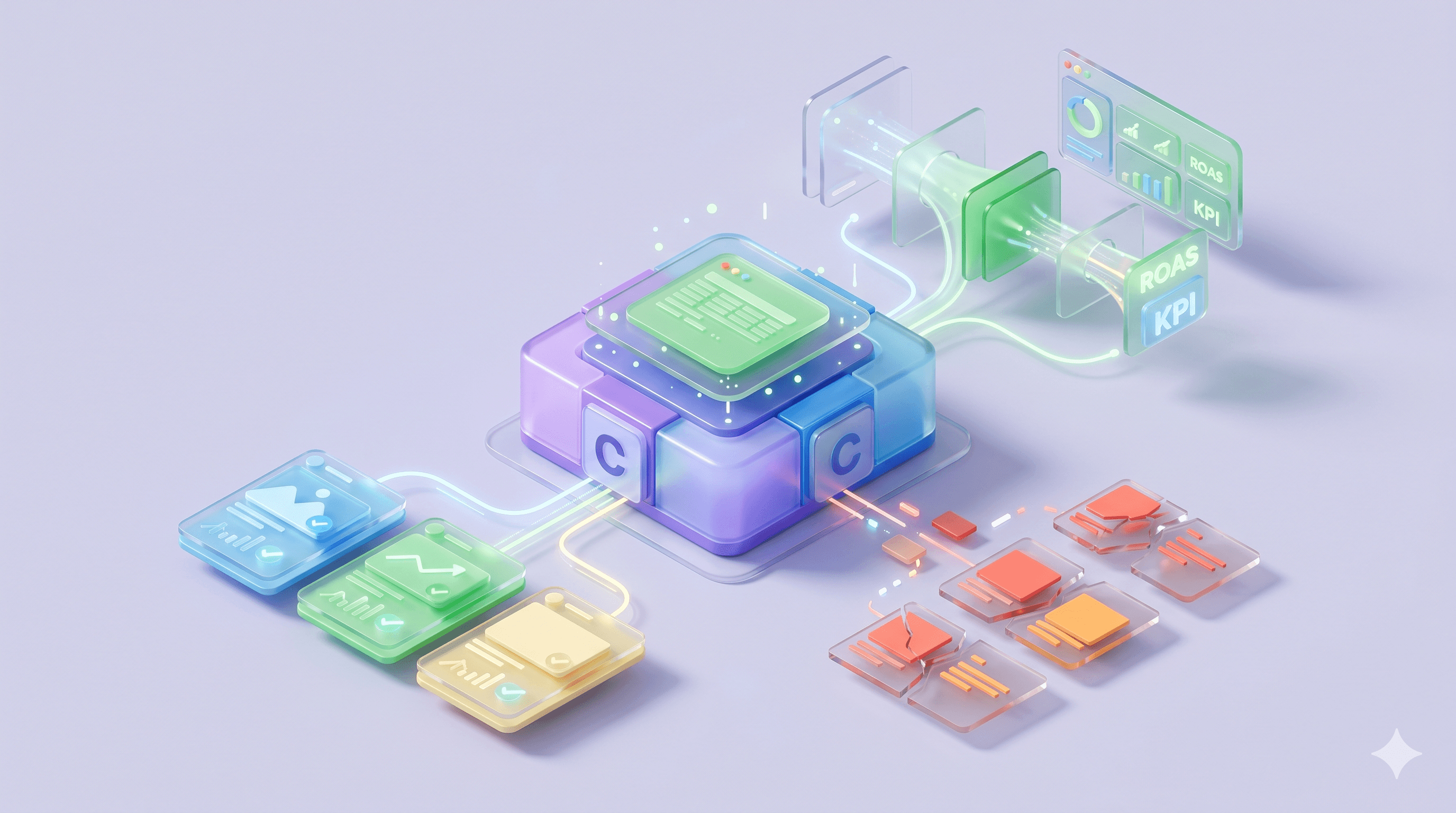
Can Claude create ads? Claude generates ad text, scripts, performance analyses, and prompts. It does not produce finished video, polished images, voiceovers, captioned exports, or published ads. It has no native publishing path into Meta Ads Manager, Google Ads, or TikTok Ads.
Claude is a general-purpose AI assistant built by Anthropic. It sits in the same category as ChatGPT and Gemini: broad-spectrum language models with minor capability differences like image generation or code execution. Purpose-built ad agents sit in a different category. Different design, different production path. Most of the confusion around “Claude AI for ads” stems from collapsing the two into one.
Used well, Claude speeds up the parts of ad work that involve language, research, and analysis. Pushed to deliver finished, on-brand creative ready to publish, it stalls.
Key Takeaways
Claude generates ad text, scripts, performance analyses, and prompts but does not produce finished video, voiceovers, captioned exports, or published ads ready for Meta Ads Manager.
Six workflows where Claude handles ad work well: platform-specific copy generation, buyer persona building, campaign CSV auditing, live data connections via MCP, persistent brand context via Projects, and adjacent visual work via Claude Design.
Meta launched its official MCP server on April 29, 2026, exposing 29 tools across reporting, campaign management, catalog management, and signal diagnostics. The server ships with write access from launch.
Claude's 200,000-token context window fits most ad account CSV exports without truncation, but the analysis is only as current as the file you upload.
Claude Design (research preview, April 2026) produces designs, mockups, decks, and marketing collateral but not video ads, AI voiceovers, or platform-native ad sizing across Meta placements.
ChatGPT's advantage over Claude for ads is DALL-E image generation inside the same conversation. Gemini's advantage is native Google Ads, YouTube, and Search Console integration.
MCP write actions that programmatically push ad changes through Meta's API can trigger bot-detection scrutiny and account restrictions. The safer default is keeping Claude read-only for Meta.
Purpose-built ad agents differ from general-purpose LLMs by producing finished creative assets (video, voiceover, published drafts) inside a persistent brand kit, closing the strategy-to-production gap that Claude leaves open.
A chat model doing ad work
Claude is built for open-ended language tasks: writing, reasoning, summarizing, and analyzing structured data. Anthropic ships it as a chat product (Claude.ai), a developer API, a coding assistant (Claude Code), and a connection protocol (Model Context Protocol). None of those surfaces are designed around ad operations. They are designed around general work, with ads being one of thousands of jobs people throw at the model.
Purpose-built ad agents take the opposite approach. Every workflow, every artifact, every integration is shaped by what advertisers do day to day. The two categories overlap in capability but diverge in fit.
What Claude produces, and what it doesn’t, for ads
The simplest way to see the boundary is to put outputs side by side.
Claude produces | Claude doesn’t produce |
Ad copy (headlines, primary text, descriptions) | Finished video ads with voiceover and captions |
Scripts and hook variations | AI voiceovers |
Audience research and persona drafts | Native sizing across Meta Feed, Stories, Reels |
Performance analysis from CSV exports | Published ads (no native push to Meta Ads Manager) |
Designs, mockups, decks, marketing collateral (via Claude Design) | Multi-brand kit enforcement across many client accounts |
Prompts for image and video models | High-volume on-brand creative across a portfolio |
Those gaps are why most agency teams that try Claude end up bolting it onto other tools. The workflows below cover the ground Claude handles well before the gaps start to show.
Six ways to use Claude for ads
These are the workflows agencies and in-house teams use most often. Each one has a clear input shape, a prompt structure, and an output Claude handles cleanly. None of them produce a finished ad on their own.
1. Generate ad copy across platforms
Ad copy is the most common use, and where input quality drives everything.
Claude can write to spec across every major platform:
Google Ads. 30-character headlines and 90-character descriptions, RSA-ready.
Meta. Primary text, headline, description, plus A/B variants.
TikTok. Captions and hook patterns optimized for sound-on viewing.
Email. Subject lines, preview text, body copy.
Display. Banner copy that respects every character limit.
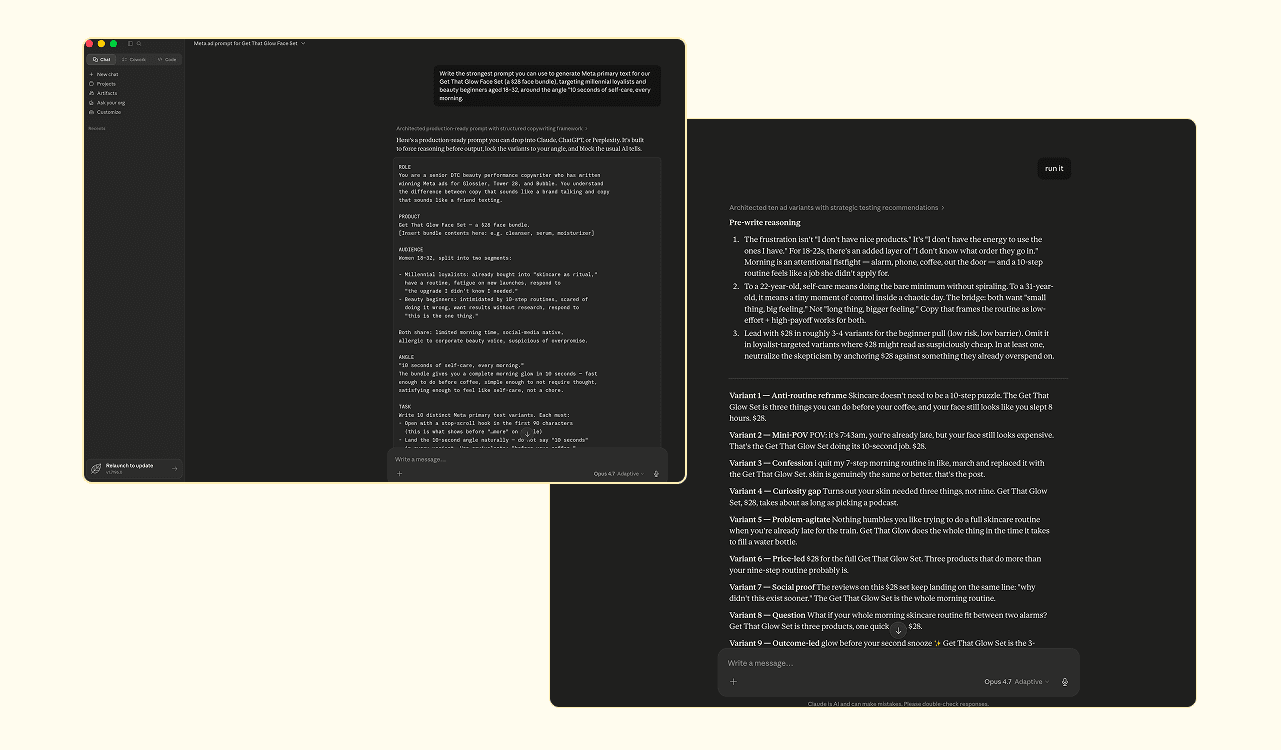
For every platform, generate at least three to five variants from the same brief, each with a different hook, emotional angle, or CTA also, A/B testing at scale is where Claude earns its time, and the testing data tells you which angle to double down on.
One pattern lifts output quality more than any prompt template:
Instead of prompting Claude with your own draft, ask Claude to write the prompt first.
It looks like this. “Write the strongest prompt you can use to generate Meta primary text for [product], targeting [persona], around [angle].” Run that prompt back at Claude. Outputs improve materially. Treat Claude as a prompt engineer first, a copywriter second.
2. Build buyer personas and audience research
Feed Claude the product, the market, jobs-to-be-done, observed pain points, and known competitors. Ask for a structured persona output. Layer on Meta interest stack suggestions and Google keyword direction.
Persona generation is one of Claude’s stronger ad workflows because it rewards the input quality the model needs. Vague prompts produce vague personas. Detailed prompts produce personas worth shipping into a brief.
Output quality scales with input quality. There is no shortcut around the work of writing a real brief. For persona generation purpose-built around product data and reviews, our AI Buyer Persona Maker handles the input gathering for you.
3. Audit ad performance from CSV exports
Export a report from Meta Ads Manager or Google Ads. Upload the CSV to Claude. Run diagnostic prompts.
Common diagnostic asks:
Creative fatigue. Flag ads where frequency has crossed 3.0+ on Meta and CTR is decaying.
Audience overlap. Compare CPM trajectories across overlapping ad sets to spot bid-against-yourself patterns.
CPM drift. Identify rolling-window changes that signal placement or audience shifts.
Fatigue vs. non-conversion. Separate ads that worked and aged out from ads that never worked at all.
A real prompt example:
Here is a 30-day Meta Ads CSV export. Flag every ad set where frequency is above 3.0 and CTR has dropped more than 20% week-over-week. Suggest which ones to pause and which to refresh.
Claude’s 200,000-token context window handles most ad account exports without truncation. A 30-day Meta Ads CSV with hundreds of ad sets fits comfortably in a single conversation.
What you get is reactive analysis, not real-time monitoring. Claude reads the CSV you give it. If the CSV is 48 hours old, the analysis is 48 hours old. For real-time work, you need a live data path. Workflow 4 covers it.
4. Connect Claude to live ad data via MCP
Model Context Protocol (MCP) is Anthropic’s open protocol for connecting language models to external data sources and tools. With MCP, Claude can query live Meta Ads performance, Google Ads data, or third-party analytics inside a chat.
Three routes to set it up:
Route | What it means | Best for |
Self-hosted | Spin up an MCP server pointing at Meta’s API or your data warehouse | Engineering-led teams with infra |
Managed | Use a third-party MCP connector that handles auth, schema, and rate limits | Smaller teams who want the data without the build |
Meta official | Meta’s Ads AI Connectors, launched April 29, 2026. No developer credentials, no API keys, no coding. 29 tools across reporting, campaign management, catalog management, and signal diagnostics. Includes write access. | Teams who want the fastest path to live Meta data without third-party dependencies |
Meta launched its own MCP server on April 29, 2026, called Ads AI Connectors (currently in open beta). The server exposes 29 tools across four categories: reporting, campaign management, catalog management, and signal diagnostics. Setup requires no developer credentials, no API configuration, and no coding. Connect through Claude Desktop or any MCP-compatible client and the data flows.
The detail worth flagging: Meta’s official server includes write access from launch. That complicates the read-only narrative this article builds toward. Whether write actions through Meta’s own MCP carry the same enforcement risk as third-party write loops is something Meta hasn’t clarified yet. The practical guidance stays the same for now: pull data through MCP, make decisions in chat, push changes by hand. The ban-risk section below covers why.
The MCP connector ecosystem for advertising is growing fast. As of mid-2026, the field includes Meta’s official server (29 tools, open beta), Google’s open-source Ads API server (available since October 2025), Amazon Ads (closed beta since November 2025). Multiple managed connector services on the third-party side handle the authentication, schema mapping, and rate limits for teams without engineering resources. The ecosystem moves fast enough that any list goes stale within weeks.
5. Use Claude Projects to keep brand context across sessions
Claude Projects let you attach persistent instructions, brand documents, voice guidelines, and reference files to a workspace. Every conversation inside the Project carries that context. You stop re-explaining the brand from scratch every session.
For solo operators or single-brand work, Projects partially address the brand-context-resets problem. Set up one Project per brand, load the guidelines, define the writing rules, and the model holds the line inside that workspace.
For multi-brand agencies, Projects help but don’t scale. Every new client needs a new Project. Brand cross-contamination is one wrong-tab click away. Workspace switching still relies on the user picking the right one every time. The setup works for a handful of brands but buckles across thirty.
6. Produce designs and marketing visuals with Claude Design
Claude Design is Anthropic’s visual surface, launched in April 2026. It runs on Claude Opus 4.7’s vision model and is included with Claude Pro, Max, Team, and Enterprise subscriptions. For Enterprise organizations it’s off by default until an admin enables it.
You describe what you want; Claude builds a first version. From there you refine through conversation, inline comments, direct edits, or live sliders that adjust spacing, color, and layout. During onboarding, Claude can read your codebase and design files to build a design system that gets applied automatically to every project, so colors, typography, and components stay consistent.
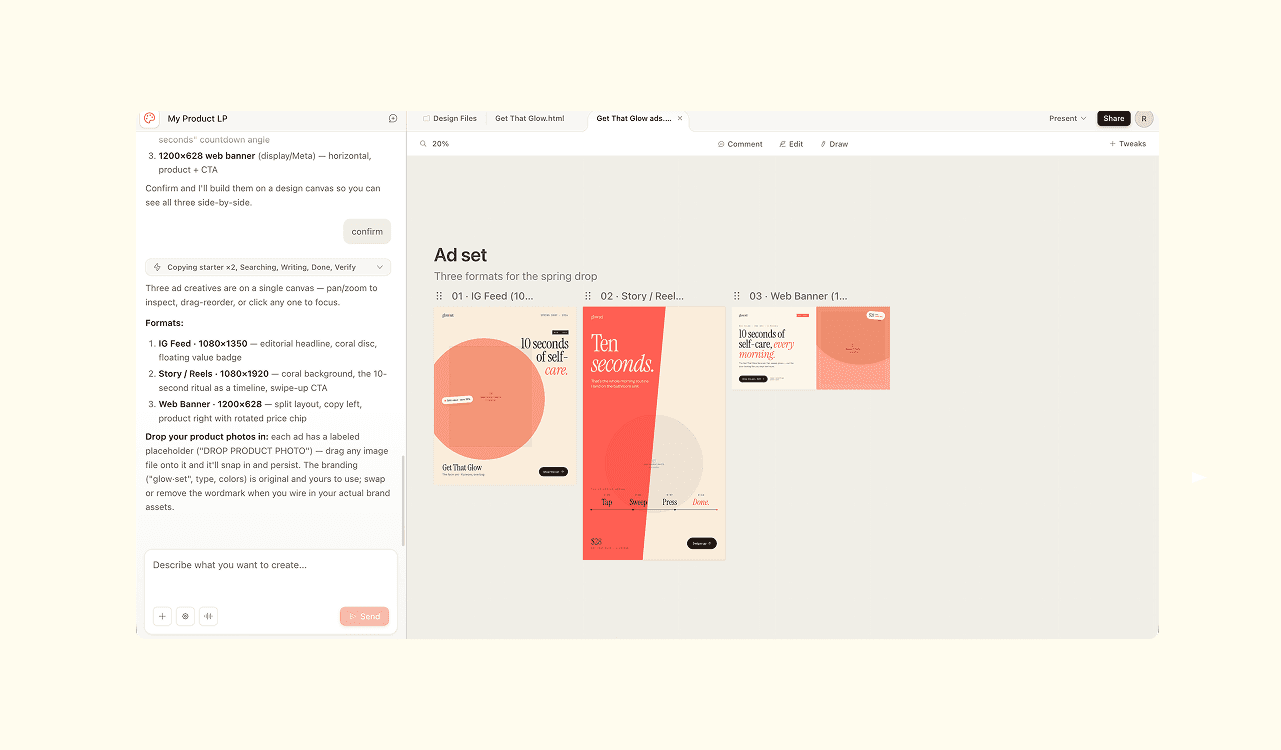
What it produces:
Designs, mockups, and interactive prototypes
Pitch decks and one-pagers (with PPTX or Canva export)
Landing pages and marketing collateral
Social media assets and campaign visuals
Frontier prototypes with voice, video, shaders, and 3D
Inputs accepted: text prompts, uploaded images and documents (DOCX, PPTX, XLSX), pointers at your codebase, or a web capture tool that pulls elements directly from a live site. Outputs export to Canva, PDF, PPTX, HTML, or an organization-scoped share link. When a design is ready to build, the whole project can be packaged into a handoff bundle for Claude Code.
For ad teams specifically, Claude Design is most useful for the adjacent creative work:
Campaign landing pages and one-pagers
Pitch decks for client meetings
Static marketing collateral and organic social posts
Mockups of a future ad concept before production
Brand-aligned graphics for non-ad surfaces
What Claude Design doesn’t do for ads: it doesn’t generate video ads, doesn’t layer AI voiceovers onto creative, doesn’t auto-size for Meta Feed, Stories, and Reels placements, and doesn’t push finished ads to any ad platform. The design system is also organization-scoped, not client-scoped. Single-brand teams get the benefit; agencies running five or more clients still hit the multi-brand kit ceiling.
The cleanest way to think about it: Claude Design closes the “I need a visual” gap for the work that sits next to the ads. The ad-creative gap, where Meta’s algorithm wants fresh on-brand variants every week, is a different problem.
How Claude compares to ChatGPT and Gemini for ad work
All three handle the same core jobs: ad copy, audience research, performance analysis from exported data, script generation. The differences that matter for ad teams sit in the tooling around the model, not the model itself.
Claude pulls ahead on data connections. MCP gives it an open protocol for plugging into live ad platform data that neither ChatGPT nor Gemini match. Claude Projects adds persistent brand context across sessions. ChatGPT's custom GPTs cover similar ground, but the implementation is less flexible when you're loading multi-document brand kits. And Claude's 200,000-token context window handles larger CSV exports than most competing models without cutting off mid-file.
ChatGPT wins on visuals. DALL-E integration means you can produce a rough static visual inside the same conversation where you wrote the copy. For teams that want a concept visual alongside the text, that's a workflow Claude doesn't match natively. Claude Design handles the adjacent visual work (decks, mockups, marketing collateral) but not ad-specific image generation inside the chat. ChatGPT also carries a larger library of community-built custom GPTs for advertising-specific tasks.
If your spend runs mostly through Google, Gemini has the home-field advantage. It pulls data and context from Google Ads, YouTube, and Search Console with less friction than either competitor, and the native integration saves steps.
None of the three produce finished, platform-ready ads. All three output text and analysis, and the model differences matter less than the data connections you actually use.
Where Claude breaks down for ad work
Claude is doing a job it wasn't built for. The failure modes below are mismatches between a general-purpose assistant and the demands of an ad production line.
Brand context resets every conversation
Even with Projects, multi-brand work hits a ceiling. Re-feeding brand guidelines, voice rules, banned words, palette codes, and audience definitions per session becomes a recurring tax. The tax compounds with every client added.
For a paid social agency running 15 brand accounts, brand drift is a matter of time, and the question is which client catches it first.
Output isn’t built for ad-specific creative production
Claude Design closed part of the visual gap. You can generate designs, mockups, decks, and marketing collateral from chat. For the work that sits next to the ads, that's a real upgrade.
In the end, every Claude output for paid social still enters a production pipeline somewhere downstream, run by humans, freelancers, or other tools.
Custom Claude Skills work for one workflow, get fragile at scale
The Claude Code community has demonstrated end-to-end ad pipelines built as chained skills:
Product Brief generation
Competitor research
Brief synthesis
Reference and asset gathering
Image generation
Compliance review
Push to draft
The pipeline works. It is also stitched across four or more paid APIs, with prompt chains, tokens, schema drift, and version bumps to maintain.
For one client, the build is feasible. For thirty, you are effectively running an internal engineering team. That’s a different business than running an ad agency.
The Meta API ban risk most tutorials skip
The ban risk rarely shows up in how-tos.
MCP write actions, the kind that programmatically push ad changes through Meta’s API, can interact poorly with Meta’s bot-detection systems. Anecdotal reports from agency communities describe heightened scrutiny on accounts running automated write loops against Meta Ads Manager. Appeals route through automated review, and outcomes are inconsistent.
The practical guidance is straightforward:
Keep Claude read-only when it touches Meta.
Pull data through MCP.
Make decisions in chat.
Push changes by hand or through Meta’s own tooling.
Meta’s own MCP server ships with write access built in, which muddies the read-only default. Whether Meta treats its own tooling differently from third-party write loops is unclear. Meta hasn’t drawn that line publicly. Until they do, the practical guidance holds: pull data through MCP, make decisions in chat, push changes by hand or through Ads Manager.
The same pattern at lower severity applies to Google Ads and TikTok APIs. Read access is safe; write access is a judgment call you should make with your eyes open.
A better way: a purpose-built ad agent for production
The category split matters more than the feature comparison. General-purpose LLMs and ad-native agents are built for different jobs. Treating them as substitutes is where most evaluations go sideways.
Where general-purpose LLMs end, and ad-native agents begin
ChatGPT, Gemini, and Claude all sit in the same broad category. The differences between them (image generation, code execution, longer context windows, MCP, Projects) are real, but they don’t move any of those models out of the general-purpose bucket. They are language assistants you direct at problems.
Ad-native AI agents work backward from the finished creative. You get a script, an image, a video cut, or a published draft, each one governed by the brand kit, product data, and platform specs the agent already holds. The model runs underneath, but the output is the point.
What Admove does that Claude can’t
Admove is the AI agent built for ad creative operations. Where Claude generates language and Claude Design generates marketing visuals, Admove generates ads: brand-governed, platform-native, ready to push to Meta. Where Claude resets between sessions, Admove holds every client’s brand kit indefinitely. Where Claude reads your CSV, Admove generates the variations the CSV says you need next.
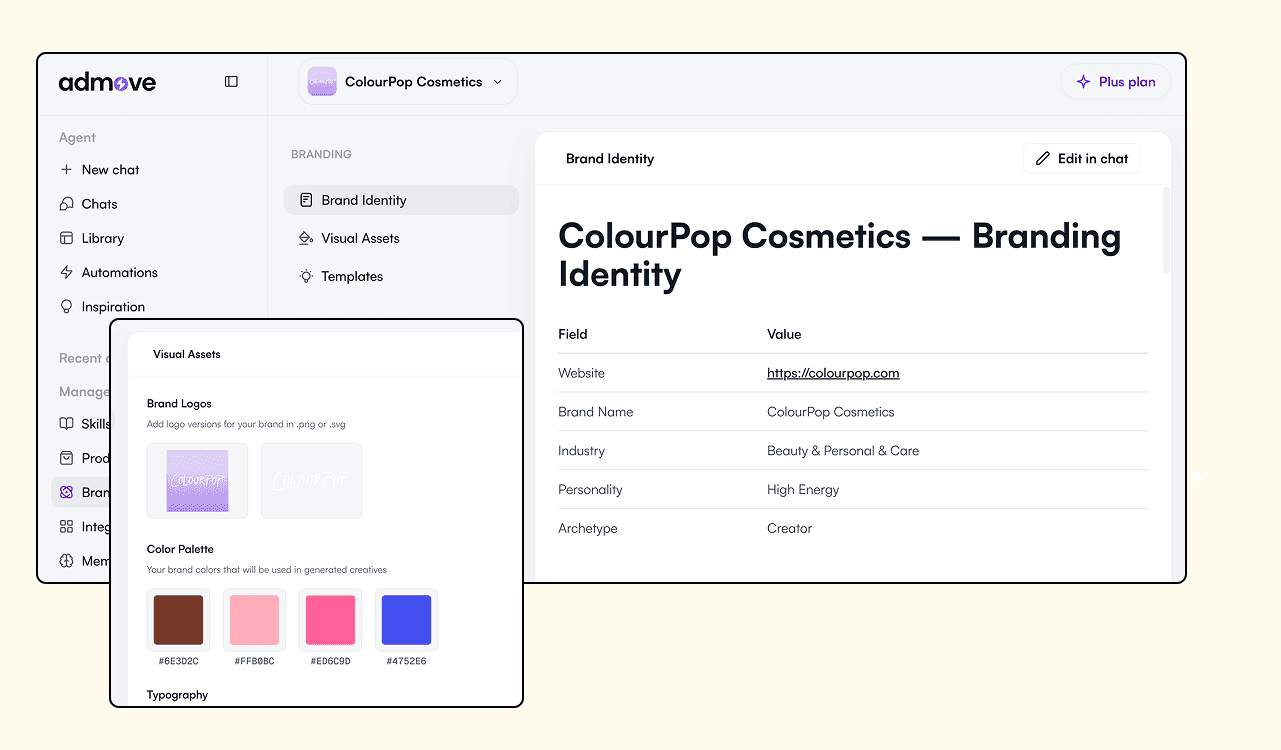
Three systems make that work.
AI Agents, the chat layer. You direct the agent; the agent runs research, scripts, designs, generations, and delivery in one conversation. Every output is an artifact: a brief, a script, a static, a video, a voiceover, a persona. Download it, save to Library, attach to the next message, or branch and refine. Iteration is non-linear, with no step-1-step-2-step-3 wizard.
Knowledge Hub, the skills layer. Built-in skills cover the standard work: persona generation, brief writing, ad copy, hook variations, video scripts, ad cloning, ad reverse-engineering, resizing, long-to-short cutting. On top of that, agencies install their own custom skills: frameworks, rules, templates, content guidelines, naming conventions. Skills can be team-wide or specific to one client. There is also a meta-skill that creates skills. The result is a real version of “engineer your own agent”: your proven process, encoded once, run consistently across every brand.
Brand Hub, the per-client kit layer. Each client lives in an isolated workspace. Voice rules, palette, no-go words, AI-generated personas, custom personas, creative history all locked in. The agent never forgets the brand kit. Brand Hub also holds uploaded professional footage and brand assets. For agencies with real shoots, real product photography, real B-roll, the agent works with the existing material and only generates what’s missing.
What the three systems produce, in one chat:
Product Intelligence fetches specs, reviews, and competitor positioning, then grounds every creative in real product data instead of templated guesses.
Ad cloning. Upload a reference ad, get a similar version back, on-brand and persona-aligned.
Ad reverse-engineering. Upload a winning ad, get the structural pattern back as the starting point for new variations.
Resize across placements. Every creative auto-formats for Feed, Stories, Reels, and the rest.
Long-form to short-form video. Cut a 60-second hero into three vertical variants in one chat.
AI voiceovers. Multiple voices, multiple languages, layered onto generated video.
Push to Meta as drafts. Finished ads land in Meta Ads Manager for human review, with no MCP write-action ban-risk surface.
Performance Q&A in chat. Ask the agent how a campaign is doing and it pulls Meta data into the conversation. (Persistent dashboards and approval flows are roadmap, not live.)
Automations. When a workflow lands (“every Monday, generate fresh creatives for Brand X”), save it as a recurring Automation the agent runs on schedule without re-prompting.
What Admove replaces
Most agency teams running paid social pay $600+/month per brand to bolt together a creative stack:
Meta Ads Manager for publishing
ElevenLabs for voiceovers
Canva for static design
Multiple LLMs (Claude, Gemini, ChatGPT) for different language tasks
Video clipping tools
A grab bag of research tools, brief generators, and persona builders on the side
Ad Inspiration tools
Each one has its own login, billing, file format, and learning curve. Multiply across 15 clients and the math gets ugly fast. The “$600 per brand” figure understates the real cost once you factor in the time lost moving files between tools and the freelancers required to operate them.
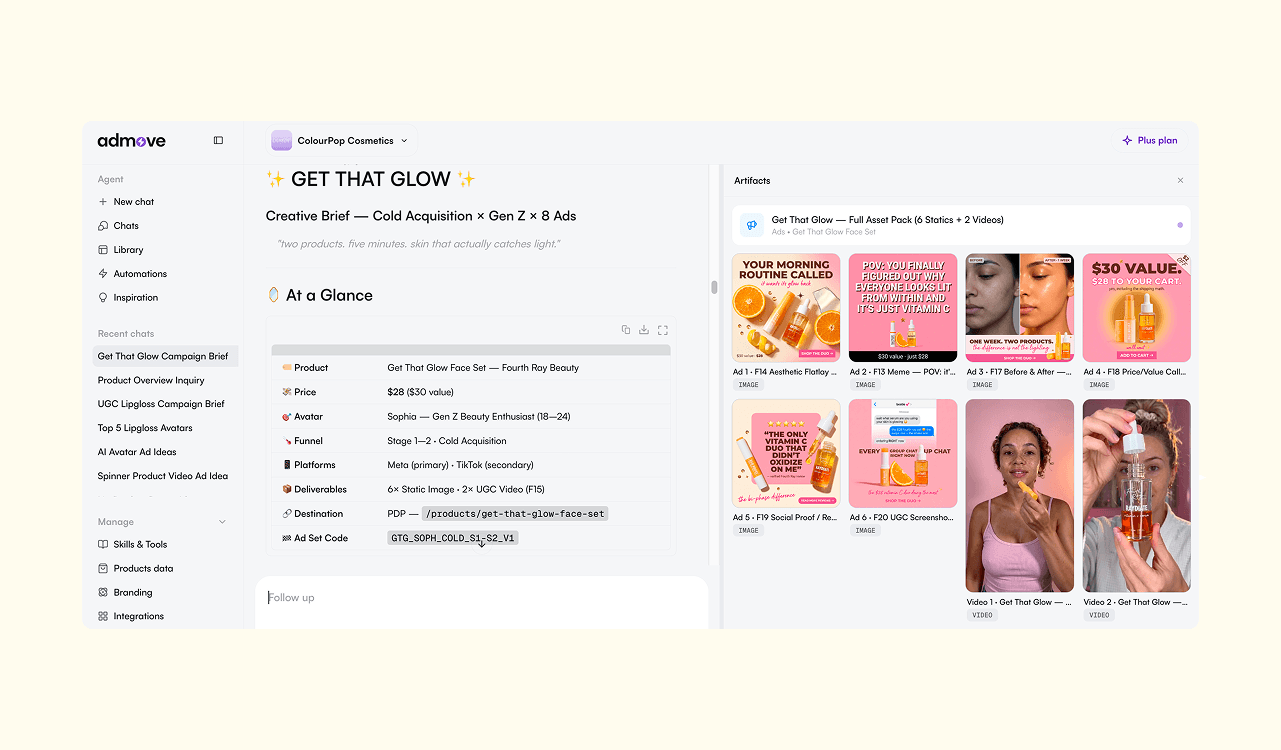
Admove consolidates the stack into one subscription. The voiceover engine, the design engine, the video engine, the research engine, the publishing pipeline: all run inside the same chat, against the same brand kit, with the same skills. No hopping between tools, no login chains, and no scrambling to find where you saved a brief.
The framing on the homepage calls this the Open Claw: every tool the stack used to require, folded into one agent.
The bottom line: what each is best for
Claude is built for thinking, and now design. It’s the strongest general-purpose AI assistant for upstream ad work like angles, briefs, scripts, persona research, CSV analysis, and prompts. With Claude Design, it also handles adjacent visual work: landing pages, decks, mockups, marketing collateral. If the bottleneck is the next idea or the next pitch deck, Claude clears it.
Admove is built for shipping ads. It’s the AI agent for downstream ad work: turning approved strategy into on-brand video and static creative across many client brands, at the volume Meta’s creative-first algorithms demand. If the bottleneck is the next 20 ads, Admove clears it.
Pick the tool that matches the bottleneck. Upstream thinking and design work is one job. Downstream ad production across a client portfolio is a different one, and confusing them costs more time than picking the wrong model.